
Issuing invoices
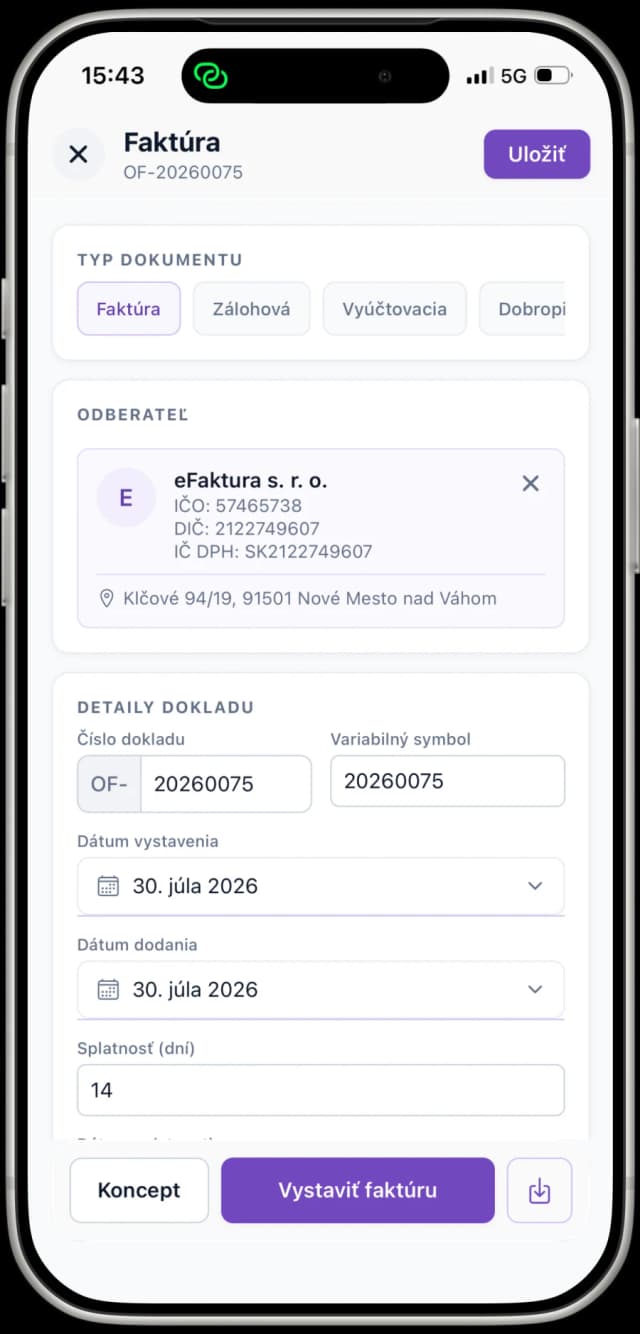
A clear form with a live summary of totals and VAT. A half-written invoice keeps saving itself as a draft, so your work is never lost.
A native app for iOS and Android: issue and approve invoices, scan documents with AI, match payments in the banking module and handle e-invoices. Not an add-on to the web app, but a full working tool. Free for every user.


Invoices, the scanner and the AI assistant, exactly as they appear on your phone.
A clear form with a live summary of totals and VAT, so the invoice reaches your customer in a minute.
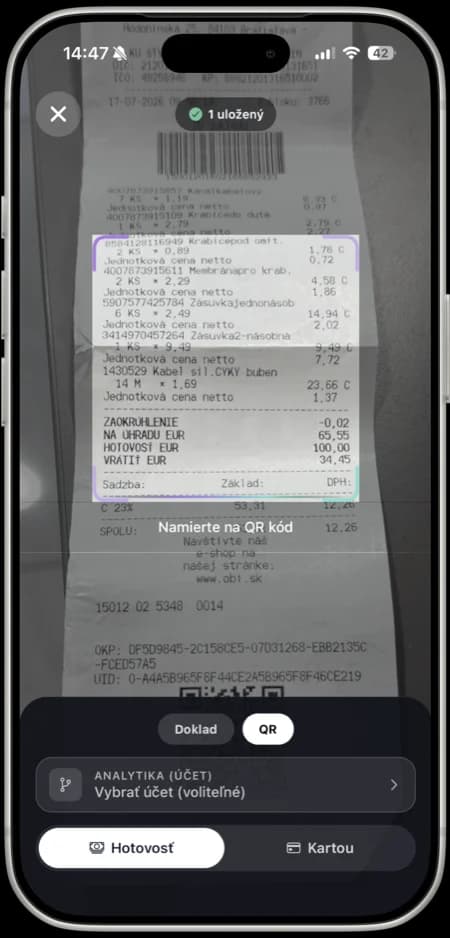
Photograph a receipt or an invoice. The data is extracted for you and the document lands in your bookkeeping.
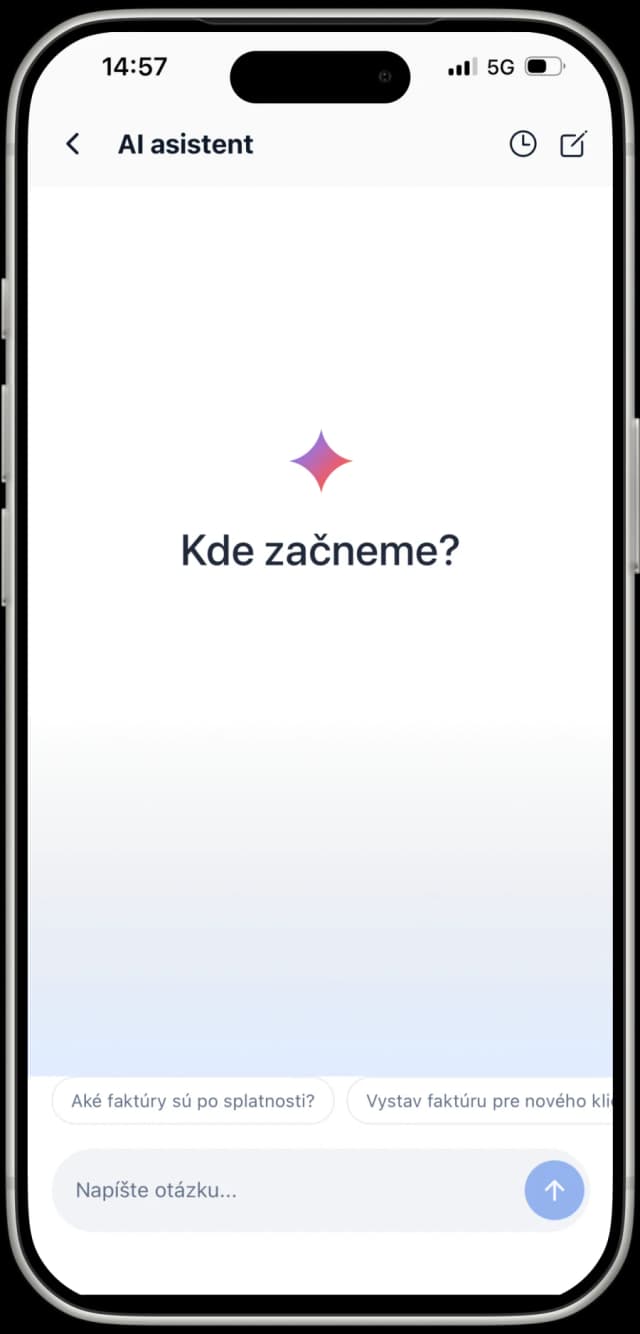
Not sure what to do next? The AI assistant answers and takes you to the right screen.
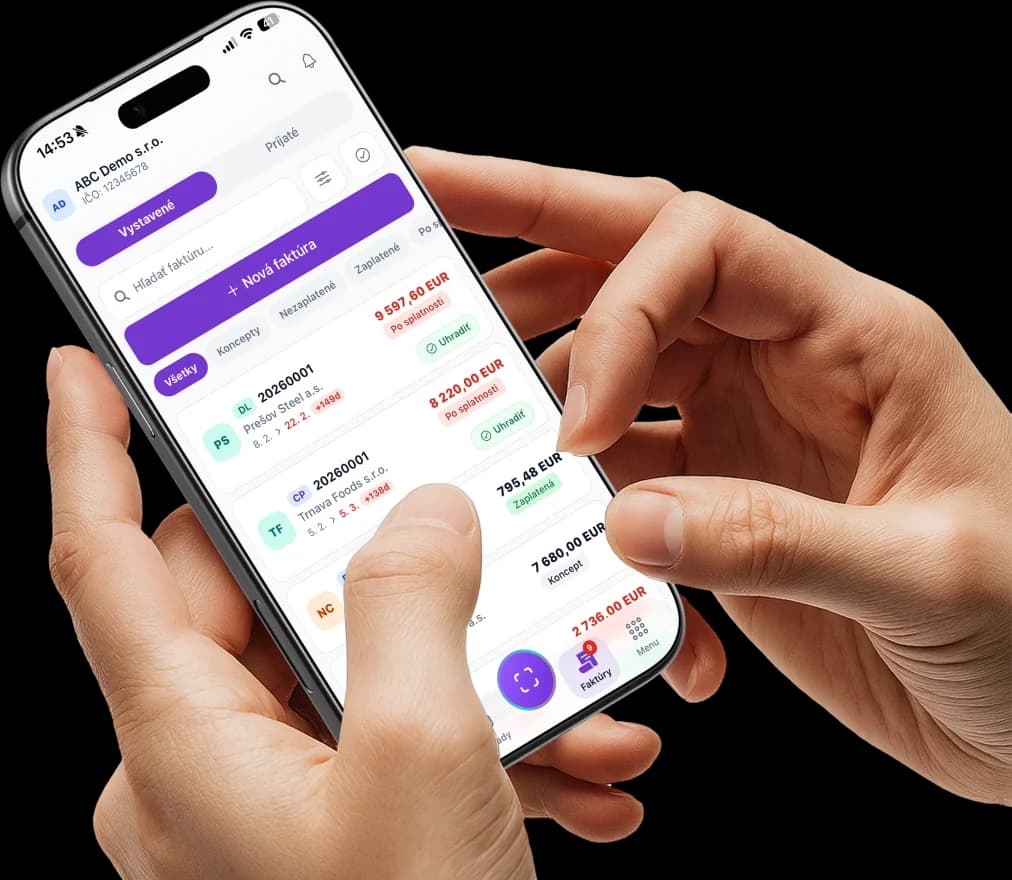
The most complete mobile invoicing app on the Slovak market, from scanning receipts to approving invoices.
A clear form with a live summary of totals and VAT. A half-written invoice keeps saving itself as a draft, so your work is never lost.
Photograph a document, the app crops it and AI/OCR pulls out the data. Payment-method and category presets speed up bulk entry.
Scan the QR code on a till receipt and you get a complete document even without a PDF, with the option to attach a photo of the original.
Approve invoices straight from the app, including a tap-through from a push notification, made for directors on the move.
Balances of connected accounts, an inbox of bank transactions, payment matching against documents and automatic rules.
An overview of every e-invoice sent and received over the Peppol network, right on your phone.
A financial health score (0–100) built from overdue receivables, cash flow and liabilities coming due, plus your company's financial profile from the eFirma platform.
Answers questions about the product and takes you to the right screen, inside the app.
Biometric lock (Face ID / fingerprint), push notifications with deep links, several companies under one account, light and dark mode, offline viewing.
The questions we hear most often about the eFaktúra mobile app.
The app is free for every eFaktúra user, including the free plan. Download it from the App Store (iOS) or Google Play (Android).
Create your account and company in the web app at moja.efaktura.sk, then log in to the iOS app with your e-mail address, Apple ID or Google account. The Android app also lets you sign up straight from the app.
Yes, both. You issue an invoice in a clear form with a live summary of totals and VAT, and approvals work straight from the app, including a tap-through from a push notification.
Yes. The scanner crops the document automatically and AI/OCR pulls the data out of it. A till receipt with an eKasa QR code becomes a complete virtual document even without a PDF.
Yes: balances of connected accounts, an inbox of bank transactions, payment matching against documents and automatic rules, all in sync with the web app.
App Store and Google Play rules mean payments and subscription management are handled in the web app at moja.efaktura.sk. Everything else works straight from the app.
Send invoices, manage documents and keep an eye on your business even when you are nowhere near a computer. It all works from your phone.
Download the app:
Váš zážitok je pre nás dôležitý
Cookies nám pomáhajú zlepšovať služby a prispôsobiť obsah vašim potrebám. Viac v zásadách používania cookies.